Try it with full access
WHAT MY CONTACTS CLOUD CRM SOLVES
My Contacts Cloud CRM is a cloud contact CRM that brings Google, Outlook, Apple and Excel contacts into one searchable system.
It is best used when contact data is spread across platforms and you need one record that can also support documents, events and follow-up.
What it solves
My Contacts Cloud CRM replaces scattered address books, spreadsheets and disconnected contact sources with one updated contact record that stays searchable, filterable and accessible from any device.
Who it is for
My Contacts Cloud CRM is designed for sales teams, consultants, business owners and operational staff who rely on accurate contact data across devices and platforms.
When to use it
This module is most useful when contact data needs to stay centralized before documents, calendar actions and follow-up tasks become fragmented across separate tools.
What makes it different
Unlike a basic sync tool, My Contacts Cloud CRM links each contact to documents, calendar scheduling and follow-up reminders inside the same CRM.
Centralize cloud contacts in one place
Import from Google, Outlook, Apple or Excel, unify your data, and work from the same updated contact profile on any device.
- Unified contact profile: keep all details together.
- Fast search & filtering: find clients in seconds.
- Built for real workflows: documents, calendar and follow-ups linked to each contact.
KEY FEATURES
Cloud contacts with a richer, customizable contact profile.Customizable contact profile
Store structured data plus references, preferences and rich notes.Import with preview
Review and select data before importing from external sources.Work from the contact
Call, email, open the website, and access maps directly from the profile.Export & backups
Export your contacts in multiple formats for portability and reporting.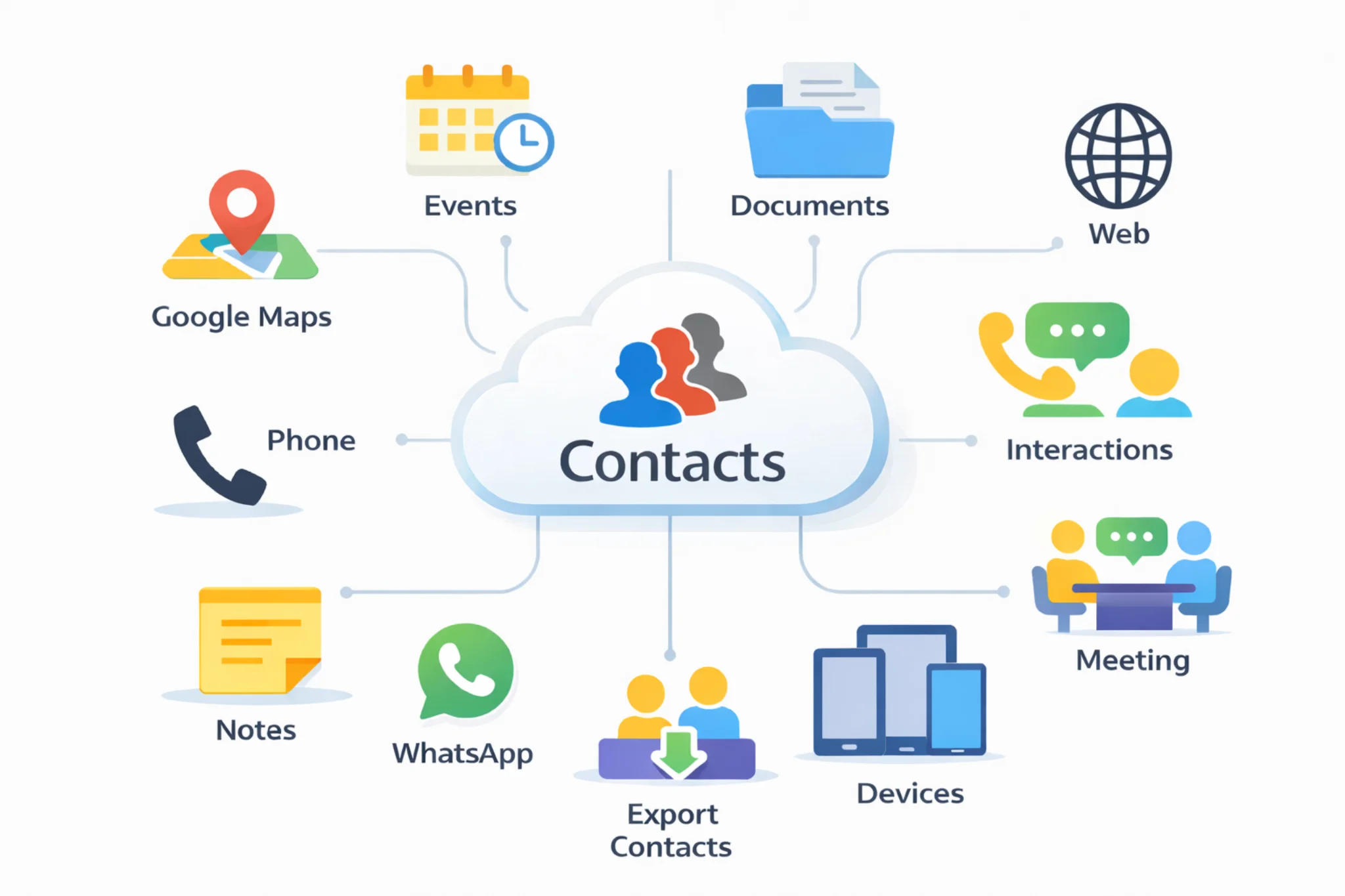
Use cases
Keep your relationships organized with a single, always up-to-date contact hub — from daily operations to migrations and reporting.
- Consolidate contacts from Google, Outlook and Apple into one clean master list
- Import Excel customer/vendor lists and convert them into actionable contact profiles
- Maintain complete client context (details, preferences, notes) across all devices
- Start calls, emails, WhatsApp messages, websites and maps directly from the contact profile
- Export contacts for backups, audits, reporting and future migrations
Explore: Documents · Calendar · Follow-ups · Pricing · Excel contacts to CRM · Google + Outlook contacts in one CRM · CRM vs spreadsheets
INSTALL
Install it on all your devices to keep your cloud data synchronizedGoogle Play
Install Android AppMicrosoft Store
Install Windows AppApp Store
Install App on iOSmacOS
Install App on macOSGoogle Chrome
Install ExtensionMicrosoft Edge
Install ExtensionFREQUENTLY ASKED QUESTIONS
Quick answers about cloud contacts and contact CRM.A cloud contact CRM centralizes your contacts in one place so you can work from the same updated profile across devices, while keeping documents, events and follow-ups linked to each contact.
You can import contacts from Google, Outlook, Apple and Excel, with a preview step to review and select data before confirming the import.
Each contact includes a wide profile you can adapt to your workflow, including structured fields plus references, preferences and rich notes.
Yes. From the contact profile you can quickly initiate communication (email, call, messaging), open websites, and access maps for locations.
Yes. You can export contacts in multiple formats (including PDF, Excel, CSV, JSON, XML and SQL) for portability and reporting.